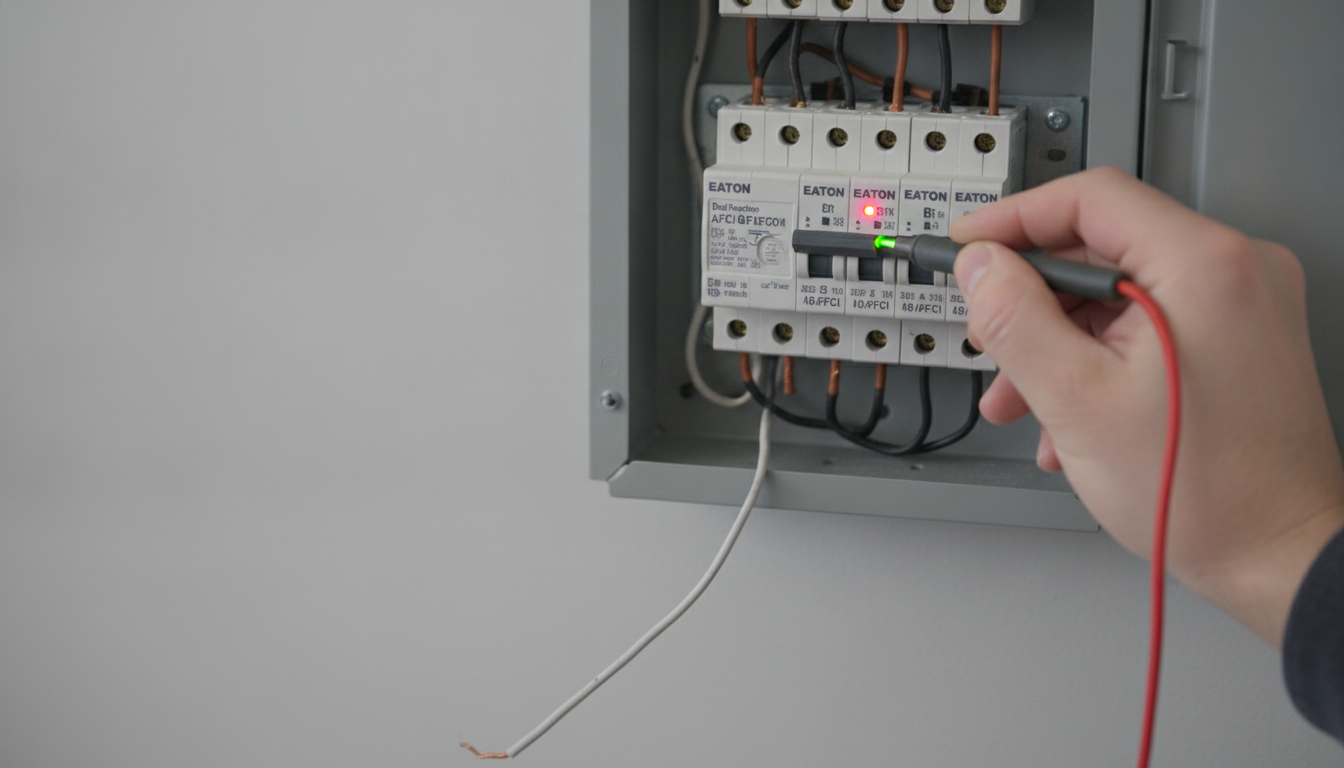
On many Eaton dual function AFCI/GFCI breakers, a steady or flashing red indicator light usually means the breaker is reporting a problem even if the handle hasn’t moved to the full TRIP position and the connected devices still have power. In other words, the breaker may be signaling a detected fault, a wiring issue, or an internal condition that needs attention—without fully opening the circuit at that moment.
Stored trip indication (recent event): Some models keep an indicator lit to show a previous AFCI/GFCI trip or fault event, even after the circuit was restored. If the breaker was reset earlier, the light can remain on until a full reset procedure is done.
Self-test or end-of-life warning: Dual-function breakers perform periodic self-checks. A red light can indicate a self-test failure or that the protection electronics have reached end-of-life. In those cases, the circuit may still pass power, but the AFCI/GFCI protection may be compromised.
Miswiring (line/load or neutral issues): Shared neutrals, neutral-to-ground contact downstream, or incorrect neutral landing can confuse the sensing circuitry. Sometimes the circuit “works,” but the breaker flags the condition.
Intermittent leakage/arc condition: A nuisance or intermittent fault (moisture, a failing appliance, a damaged cord) may briefly trigger the detection logic without producing a sustained trip.
First, try a proper reset: switch the breaker fully to OFF (firmly), then back to ON. Press the TEST button; it should trip. Then reset again. If the red light returns, treat it as a real diagnostic.
If the circuit feeds appliances, unplug them and reset again to see if one device is causing leakage or arcing. If the indicator still stays red, the next step is to have an electrician verify neutral/ground separation, shared neutrals, and correct breaker wiring, and to confirm whether the breaker needs replacement.
If you’re interested in another electrical-gear guide, see this article.
Move the handle firmly to OFF (not just to the middle), then back to ON. If you used TEST, reset the same way and confirm the red light clears; if it returns, troubleshooting or replacement may be needed.



Leave a comment
You must be logged in to post a comment.