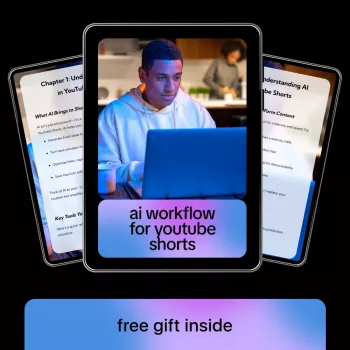
A repeatable workflow makes Shorts easier to produce, easier to improve, and faster to scale. Instead of reinventing your process for every upload, a structured system turns ideas into short, watchable videos with strong hooks, clear pacing, consistent visuals, and a publishing loop that learns from analytics—while using AI tools to reduce time spent on scripting, design, editing, and repurposing. For more guidance, see AI Video for YouTube Shorts: Complete Guide.
A Shorts workflow replaces guesswork with a sequence you can run every week: idea → hook → script → visuals → edit → upload → analyze → iterate. That sequence reduces production friction because you standardize formats (voice, captions, b-roll style, transitions, and length targets) instead of deciding from scratch each time. For further reading, see How to Make YouTube Shorts with AI.
Consistency is also easier to maintain. When viewers recognize recurring series, pacing, and a predictable payoff, they’re more likely to keep watching—and your channel becomes simpler to manage because every video uses the same building blocks. Most importantly, improvement becomes measurable: hooks, retention, replays, and saves become testable inputs rather than vague feedback.
Start by defining 3–5 “series buckets” that can generate at least 30 variations each. Examples that scale well include quick tips, myths vs. facts, before/after, mini-stories, and “tool of the day.” The goal is to build an idea engine, not a one-off list.
Use audience pain points and common questions to generate high-volume ideas, then prioritize topics that allow a strong first-second payoff. Tools like Google Trends can help you sanity-check whether interest is rising, seasonal, or fading.
For each series, define the content promise in one sentence (what someone gets by watching). Add constraints that speed production: aim for 20–35 seconds, deliver one takeaway per Short, and use a consistent ending (CTA, tease the next episode, or loop back to the opening line).
Shorts live or die in the first second. Write hooks that create immediate curiosity or value, such as “Do this before…,” “Most people miss…,” or “Here’s the fastest way to…”. Then follow a simple retention-friendly structure: Hook (0–2s) → Proof/Steps (3–25s) → Payoff (final 3–5s) → Optional loop.
Keep sentences short and spoken. Put the subject early in each line and delete filler. As you script, plan pattern interrupts every 2–4 seconds: a new visual, zoom, on-screen text, sound cue, or quick cut. Instead of rewriting entire videos, draft multiple hook variants for the same idea and test them across separate uploads.
Pick a visual approach that fits your speed and your niche: talking head, screen recording, b-roll montage, kinetic text, or AI-generated imagery. Whichever you choose, match visuals to script beats so each line has a supporting on-screen cue (example, icon, quick clip, highlight, or annotation).
| Workflow stage | Output needed | What to standardize | Where AI helps most |
|---|---|---|---|
| Ideation | 20–50 titles per week | Series buckets + topic rules | Brainstorm variants, angle swaps, question lists |
| Hook | 3–5 hook options | First-second format, tone, length | Rewrite hooks for curiosity, brevity, clarity |
| Script | 80–140 words | Beat structure + one takeaway | Tighten wording, simplify steps, improve cadence |
| Visual plan | Shot list / b-roll list | Repeatable templates | Generate storyboard, b-roll suggestions, on-screen text |
| Edit | 9:16 final video | Cuts every 1–2 seconds, caption style | Auto-captions, silence removal, reframes, template assembly |
| Publish | Title/description/hashtags | Naming convention + CTA | Draft variations, schedule uploads |
| Improve | Retention notes | Test log | Summarize analytics into next-week edits |
For platform specifics and up-to-date creation guidelines, reference YouTube Help: Create Shorts and YouTube Creators: Shorts.
If a start-to-finish structure would help you move from scattered posting to a dependable production line, consider a guided resource built specifically around this kind of workflow. The AI Workflow for YouTube Shorts – Step-by-Step Ebook for Creating Viral Short-Form Videos with AI Tools, Scripts, Visuals, Automation & Growth Strategy is designed to bundle scripting patterns, visual guidance, automation checklists, and a growth loop into one method you can run weekly.
For creators building a broader content setup beyond videos, organization and environment still matter; simple upgrades can reduce friction when batching work. If you’re refreshing your filming or editing space, options like the Botanical Floral Non-Slip Area Rug – Soft, Modern & Machine Washable or the Soft Velvet Plush Blue Rug for Living Room & Bedroom – Modern Fluffy Carpet can help define a comfortable, consistent backdrop area.
Many formats perform well around 15–35 seconds because they stay dense and rewatchable. Match length to idea density: one clear takeaway with the payoff appearing early usually holds attention better than stretching a thin point.
A strong hook is a clear promise (what the viewer gets), delivered with specificity and immediate visual alignment. Effective formulas include “Do this before…,” “Stop doing…,” and “The fastest way to…,” while common mistakes are vague claims, slow intros, and mismatched visuals.
Yes—use AI for drafts, variations, and templates, then apply a consistent voice, unique examples, and firm editorial choices. A simple style guide (tone, pacing rules, caption format, and recurring series structure) keeps outputs recognizable and human-led.



Leave a comment
You must be logged in to post a comment.