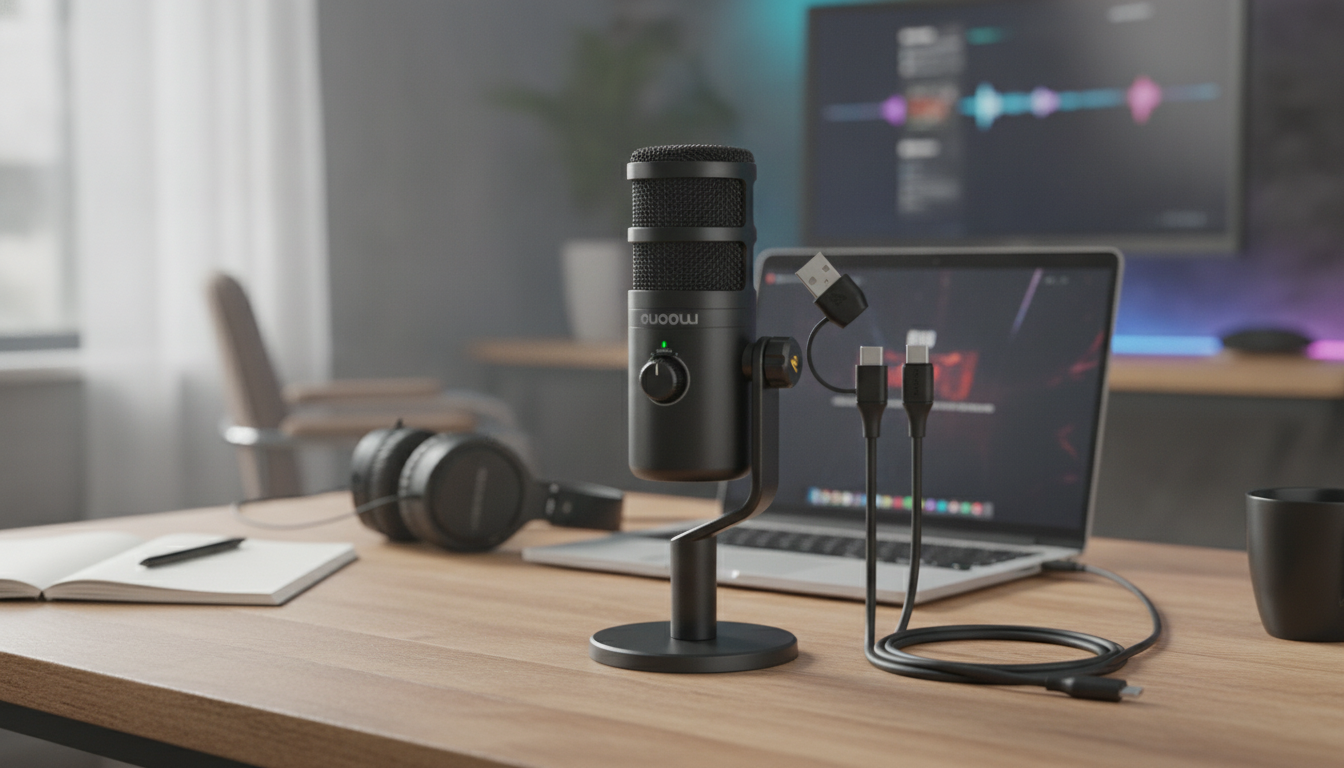
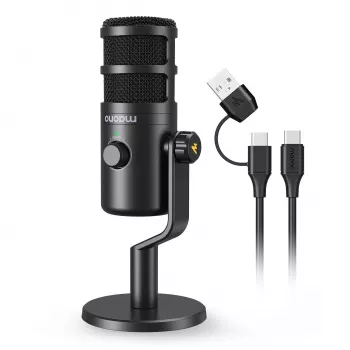
A dynamic USB‑C microphone is built to focus on your voice while reducing room noise—ideal for live streams, voice chat, podcasts, and quick home recordings. Compared with more sensitive mic types, a dynamic capsule tends to ignore more of what you don’t want (keyboard clicks, PC fans, and reflections), especially when you keep it close and set gain correctly. If you want a simpler setup that still delivers a voice-forward, broadcast-style sound, a USB‑C dynamic mic is an easy upgrade for gaming and content creation. For more guidance, see Reviews by ray-dude – Head-Fi.
Dynamic microphones are typically less sensitive than condenser microphones. That lower sensitivity can be a real advantage for everyday rooms because it helps reduce pickup of small, constant noises and the “roomy” echo that happens when sound bounces off hard walls. For further reading, see Reviews by o0genesis0o | Page 4 – Head-Fi.
With USB‑C, the mic’s built-in audio interface handles the conversion to digital audio. For basic use, it’s plug-and-play: connect the cable, select the mic as your input device, and you’re ready to talk or record without buying a separate interface.
This combination is often preferred for speech-focused work—streams, voice chat, podcasts, narration—where intelligibility and background rejection matter more than capturing every detail of the room.
A dynamic USB‑C mic can help keep your voice steady and clear, even if your space isn’t treated with acoustic foam. The biggest performance jump comes when the mic is positioned close to your mouth so your voice dominates the signal.
For Discord, party chat, and in-game comms, dynamic mics can reduce mechanical keyboard bleed and controller clicks when you keep gain moderate and placement consistent. This makes callouts easier to understand without cranking volume or relying on heavy software suppression.
Dynamic mics are a strong fit for spoken-word (podcasts, commentary, narration) and can work well for scratch vocals in untreated rooms. While they won’t capture the same airy detail as some condensers, they often deliver a controlled, “close” sound that sits nicely in a mix.
Bedrooms and office corners with reflective surfaces are where a dynamic mic’s tighter focus can pay off. If you can’t rebuild your room, a mic that forgives the room is a practical move.
Many dynamic microphones lean toward a voice-forward tonality, emphasizing midrange presence where speech intelligibility lives. That can translate to clearer consonants and a more “broadcast” style sound, especially after light compression in streaming apps.
One thing to understand is proximity effect: when you get closer to the mic, bass response increases. That can be flattering for some voices, but it can also turn into boominess if you’re right on top of the grille. The fix is simple—adjust distance in small increments until the low end sounds natural.
Consistency matters more than chasing a perfect EQ. Keeping a stable mouth-to-mic distance reduces sudden level swings and helps your voice sound “locked in” across excited moments, laughter, or fast callouts.
On PCs and laptops, a dynamic USB‑C mic is typically recognized as a standard USB audio device. Select it in your operating system sound settings and then confirm it’s chosen inside your app (OBS, Discord, Zoom, or your recording software).
For more on placement and plosive control, Shure’s mic technique guide is a helpful reference: https://www.shure.com/en-US/performance-production/louder/microphone-techniques.
A limiter is a strong safety net to prevent clipping. Add gentle compression for consistency, and only use a noise gate if your room noise is relatively constant and low. OBS’s filters guide is a solid starting point: https://obsproject.com/wiki/Filters-Guide.
| Item | What to check | Why it matters |
|---|---|---|
| Connection | USB‑C cable seated firmly; avoid flaky hubs | Prevents dropouts and device reconnect loops |
| Mic placement | 3–6 inches away, slightly off-axis | Improves clarity and reduces plosives |
| Input level | No clipping on loud words; stable average level | Avoids distortion and volume swings |
| Monitoring | Headphone monitoring enabled if available | Helps catch noise, clipping, or routing issues early |
| Noise sources | PC fan/AC/keyboard repositioned; soft surfaces nearby | Reduces background without heavy filtering |
| App routing | Correct mic selected in OS + OBS/Discord | Prevents “silent mic” problems |
Often, yes—dynamic mics generally reject more room noise than very sensitive condensers, especially when used close to the mouth. The biggest improvements come from close placement and lower gain rather than heavy software filtering.
No. A USB microphone includes a built-in audio interface, so you can plug it directly into your device and select it as an input. An external interface is typically only needed for XLR microphones or more advanced routing setups.
Start around 3–6 inches away and slightly off-axis, then adjust to control bass from proximity effect and reduce plosives. A pop filter or windscreen helps when you’re close-miking for maximum clarity.


Leave a comment
You must be logged in to post a comment.