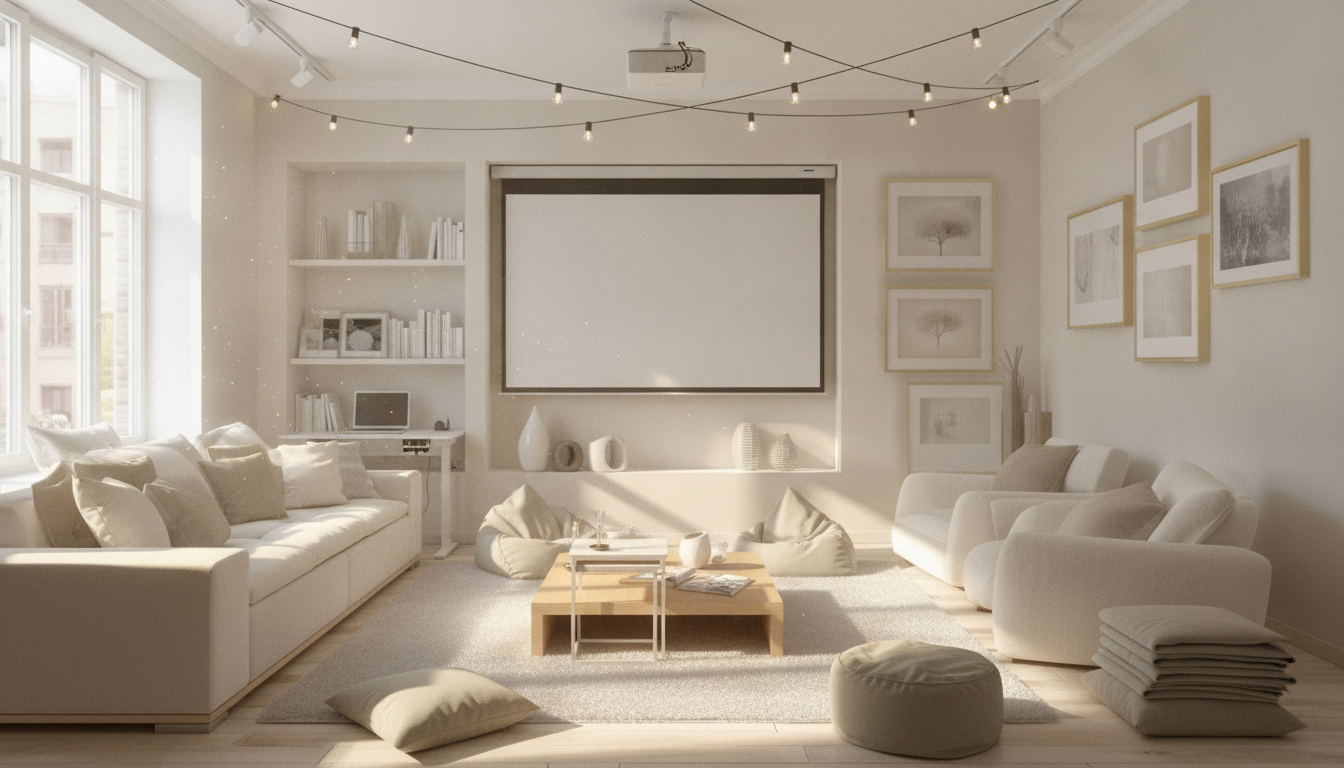
Multi-use rooms work best when each activity has a clear “mode” that can be set up fast, used comfortably, and packed away without frustration. A strong rotation system relies on repeatable steps—zoning, storage, schedules, and quick-change setups—so one room can reliably shift between work, rest, workouts, hosting, and hobbies without feeling like a constant remodel.
Rotating a space means switching one room between distinct uses (modes) using a consistent sequence—think “set, use, reset”—rather than redecorating every time. Some rotations are flexible (small adjustments like lighting changes or moving a tray), while others are transformative (bringing out equipment, unfolding furniture, or clearing the floor).
Three constraints drive every rotation plan: how long changeover takes, how much storage you have, and how often you’ll switch modes. A practical target is a dependable setup that takes about 2–10 minutes, depending on complexity. If it takes longer, it tends to get skipped—which is when clutter and frustration build.
Begin by listing the primary modes that truly compete for the room: focus work, family hangout, dining, yoga, guest sleep, crafting, gaming, or music practice. Keep the list short and honest—then rank each mode by frequency (daily/weekly/monthly) and “spread” (how many items it requires).
For each mode, identify non-negotiables: outlet access, lighting direction, screen glare control, sound needs, and minimum floor clearance. Design for the most frequent modes first, and make occasional modes “packable” so they’re easy to stage without taking over the room year-round.
| Mode | How often | Must-have items | Clear floor area needed | Target setup time |
|---|---|---|---|---|
| Focus work | Weekdays | Laptop/monitor, chair, task light | Small | 2–3 minutes |
| Exercise/yoga | 3–5x/week | Mat, small weights, towel | Medium | 3–5 minutes |
| Entertaining | 1–2x/month | Extra seating, snacks/drinks, lighting | Large | 5–10 minutes |
| Guest sleep | Few times/year | Bedding, pillow, nightlight | Large | 10 minutes |
Anchor + Add-ons: Keep one primary use always ready (your anchor), then add temporary modules for other modes. This works well for living rooms that also handle workouts or occasional dining.
Two-Zone Split: Divide the room into two persistent zones—like a work corner plus a lounge area—then rotate only one zone. This reduces disruption because half the room stays stable.
Full Flip: The entire room changes purpose. This is best when rotations are scheduled (weekday vs weekend) and storage is strong enough to “hide” the inactive mode.
To reduce daily friction, try micro-rotations on busy days (tiny changes, same layout) and macro-rotations on weekends (bigger swaps, deeper reset).
Layer lighting so each mode feels intentional: ambient for general brightness, task lighting for focus, and accent lighting for mood. Energy-efficient lighting choices can also reduce heat and operating cost over time (see the U.S. Department of Energy overview: https://www.energy.gov/energysaver/lighting-choices-save-you-money).
Schedule a weekly refresh to fix drift: re-center furniture, vacuum high-use zones, and repack kits. For cleaning touchpoints and soft goods, follow practical hygiene guidance like the CDC’s home cleaning basics: https://www.cdc.gov/hygiene/cleaning/cleaning-your-home.html.
| Mode type | Reset steps (short) | Where items go | Time goal |
|---|---|---|---|
| Daily mode | Clear desk/surface; dock chargers; stash kit | Top drawer + cable station | 2–3 minutes |
| Active mode | Wipe mat; hang towel; re-stack weights | Workout bin + wall hook | 3–5 minutes |
| Hosting mode | Collect dishes; fold extras; restore seating | Hosting bin + closet parking | 5–10 minutes |
| Guest mode | Strip linens; fold bedding; air out area | Labeled bedding tote | 10–15 minutes |
The room never looks finished: Maintain one always-ready baseline—clear surfaces, an aligned rug, and consistent lighting. For broader planning principles around functional space, the Whole Building Design Guide is a helpful reference: https://www.wbdg.org/.
Most rooms handle 2–4 primary modes comfortably when storage and setup time are controlled. The limiting factors are usually item volume and how quickly you can reset, so rare activities should be packable rather than permanent.
Use an Anchor + Add-ons approach: close the laptop, clear the work surface, swap to warmer lighting, and bring out one relaxing cue like a throw or tray. Store the work kit out of sight and aim for a 2–3 minute reset.
Rugs act as zone markers, add comfort, and soften sound—especially helpful when switching between focus work and social time. Washable, non-slip rugs are ideal when rotations happen often and you want placement to stay consistent.



Leave a comment
You must be logged in to post a comment.