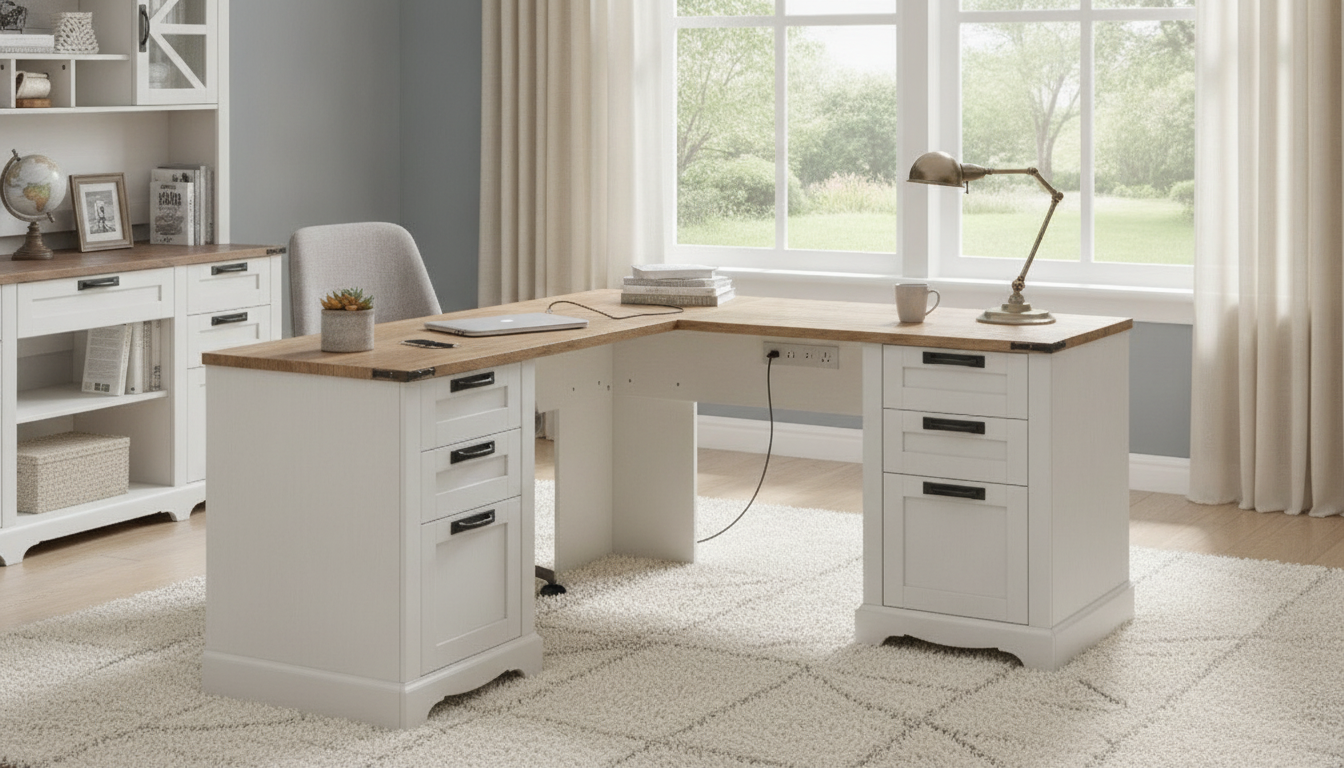
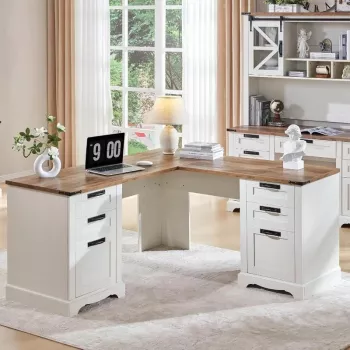
A corner-friendly executive desk that blends farmhouse warmth with modern convenience can make workdays smoother and rooms feel more intentional. This 60-inch L-shaped design adds generous surface area, built-in storage, and a charging hub to keep devices powered while keeping cables under control. If your home office has to handle focused computer work, paperwork, and everyday “life admin,” an L-shaped farmhouse executive desk can be the piece that brings it all together.
An executive desk should feel like it’s doing more than filling space—it should make the room work better. The 60″ L-shaped footprint creates two usable zones, so it’s easy to dedicate one side to a monitor setup while reserving the other for writing, planning, or keeping a printer within reach. That division alone can reduce the constant shuffle of notebooks and accessories.
The farmhouse-inspired styling also plays a quiet supporting role. Warm wood tones and simple, sturdy lines pair naturally with rustic décor, transitional spaces, and modern-farmhouse interiors. Because the design reads as substantial, it helps a home office feel finished—especially in open-plan rooms where a small desk can look temporary.
For day-to-day convenience, the built-in charging station helps keep phones, tablets, and small accessories off the main workspace. When devices have a “home” on the desk, cables are less likely to sprawl across your keyboard area or snag on drawer pulls.
If you’re ready to make your corner workspace feel intentional, you can find the 60″ L-Shaped Farmhouse Executive Desk with Drawers and Charging Station in stock now.
Before choosing left-corner or right-corner placement, plan for comfortable movement. The goal is to keep the desk tight to the corner without pinching your chair path or blocking access to drawers. Measure both wall spans and consider anything that sticks out—baseboards, trim, vent covers, and outlet plates can all affect how flush the desk sits.
A practical setup is to use the longer return as the primary computer zone. This keeps monitors, docking stations, and daily tech on one side while the secondary surface stays available for paperwork, a planner, or a “drop zone” that can be cleared fast. Placing the desk near an outlet also helps you hide cords along the back edge instead of running them across a walkway.
Lighting matters with L-shaped layouts because the corner can fall into shadow. A slim task lamp on the secondary surface can brighten reading and handwriting tasks without crowding the main monitor zone. For ergonomic guidance on screen placement and posture, OSHA’s workstation recommendations are a helpful reference: OSHA Computer Workstations eTool.
| What to measure | Why it matters | Practical tip |
|---|---|---|
| Corner wall span | Ensures both sides sit flush without blocking trim or vents | Account for baseboards and outlet plates |
| Chair clearance behind you | Prevents tight seating and bumps | Leave enough room to roll back and stand up comfortably |
| Drawer opening space | Keeps storage usable day-to-day | Confirm drawers can open without hitting a wall or file cabinet |
| Cable path to outlet | Reduces cord clutter and strain | Route along the back edge; add cable clips if needed |
Drawers are most useful when they’re assigned clear jobs. Start by placing high-frequency items in the top drawers: pens, sticky notes, a spare charging cable, earbuds, and a small hand lotion. When these essentials have a predictable spot, the desktop stays open and you avoid the “little pile” that grows next to your keyboard.
Use deeper drawers for paperwork, tech accessories, and office tools that don’t need to live in sight—extra ink, a stapler, envelopes, external drives, or a label maker. This prevents the secondary surface from turning into storage just because it’s convenient.
For a cleaner look, route cords along the back edge with adhesive clips or a small under-desk cable tray, keeping them away from knees and chair wheels. For additional guidance on using USB chargers safely, the FCC overview is a solid resource: FCC Consumer Guide: Using USB Chargers. General home electrical safety tips are also worth reviewing: NFPA: Electrical Safety in the Home.
A rug can make the workspace quieter and warmer, especially in rooms with hard flooring. Choose a low pile so the chair rolls smoothly. Two in-stock options that pair nicely with farmhouse and transitional spaces are the Botanical Floral Non-Slip Area Rug – Soft, Modern & Machine Washable for a light, airy pattern, or the Soft Velvet Plush Blue Rug for Living Room & Bedroom – Modern Fluffy Carpet for a richer, cozy tone.
Measure both wall spans in the corner, then add room for rolling your chair back and standing up comfortably. Also confirm drawers can fully open without hitting a wall or nearby furniture, and plan a clean cable route to the nearest outlet.
It’s generally safe when used as intended: don’t overload the ports, keep adapters ventilated, and replace damaged cords right away. Using surge protection and following the included setup instructions helps reduce everyday electrical risk.
Create simple zones: top drawers for daily essentials and deeper drawers for storage like paperwork and tech accessories. Add small organizers for loose items, and do a quick end-of-day reset so everything returns to its assigned spot.

Leave a comment
You must be logged in to post a comment.