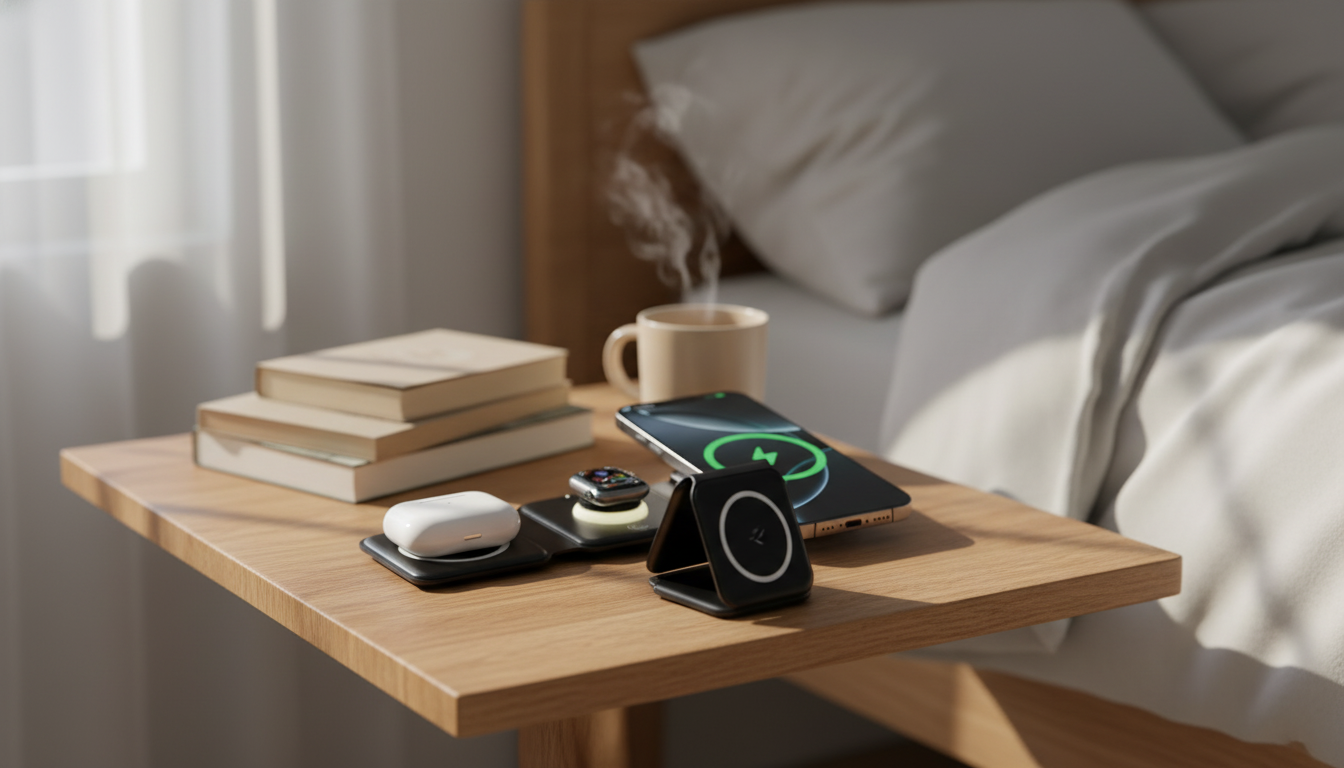
A foldable 3-in-1 charging stand can replace a nightstand tangle of cables while keeping a phone, smartwatch, and earbuds powered in one compact spot. The 15W Foldable 3-in-1 Wireless Charger for Phone, Watch & Earbuds is built for that “set it down and walk away” routine—whether it lives on your bedside table, a kitchen counter, or the corner of your desk where your devices land every day.
Below is what this style of charger does well, how to set it up for consistent charging, and what to double-check for compatibility and safe use—especially if you plan to fold it up for travel.
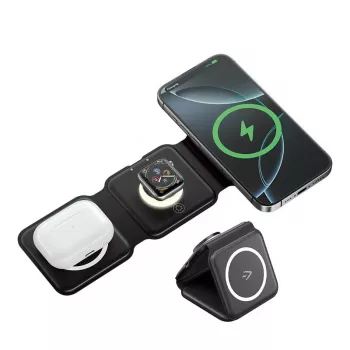
This is a single charging station with three dedicated zones: one for a Qi-compatible phone, one for a smartwatch, and one for wireless-charging earbuds. Instead of swapping cables or hunting for the right connector at night, you get one “home base” that keeps daily essentials topped off.
The foldable build is more than a travel perk—it also makes the charger easier to store if you like a clean surface during the day. When open, a stand-style layout can keep your phone visible while it charges, which is handy for a bedside clock view, notifications, or a quick glance during video calls (exact angle and positioning can vary by setup).
If you’re building a more streamlined nightstand setup, pairing a single charging station with a simple statement piece like the Irregular Beveled Mirror Wall Clock with Roman Numerals – Silent Quartz Movement can keep the area functional without adding more wires or clutter.
“15W” typically refers to the maximum output for the phone charging zone. Real-world speed depends on (1) your phone’s supported wireless charging profile, (2) the wall adapter you plug the charger into, and (3) alignment and heat during charging. Many phones will charge reliably on a 15W pad but won’t always sit at the peak wattage for the entire session—especially as battery levels rise or if the device warms up.
Watches and earbuds usually charge at much lower wattages than phones. The win here is convenience: a single landing spot for everything you use daily. For background on how wireless charging works and why alignment matters, see the Wireless Power Consortium (Qi Standard), plus platform-specific guidance from Apple Support: About wireless charging and Samsung Support: Wireless charging basics.
| Factor | What you may notice | Quick fix |
|---|---|---|
| Power adapter too weak | Phone charges slowly or cycles on/off | Use a higher-wattage USB adapter from a reputable brand |
| Case too thick or with metal | Charging starts then stops; extra heat | Remove the case or switch to a thinner, non-metal case |
| Misalignment on the pad | No charging indicator; intermittent charging | Re-center the device; keep it flat and stable |
| Heat buildup | Phone reduces charging speed | Move to a cooler spot; avoid charging under pillows/blankets |
Before choosing a 3-in-1 wireless station, confirm each device can actually use the matching zone. Phones are usually straightforward: if your phone supports Qi wireless charging, it should charge on the phone pad. Watches can be trickier because many models rely on a specific charging method and physical fit. Earbuds also vary—some cases support Qi charging, while others only charge via cable.
| Device | Check this | Why it matters |
|---|---|---|
| Phone | Qi wireless charging support | Required for any wireless charging to work |
| Watch | Charging standard/model fit | Many watches require specific charging hardware |
| Earbuds | Case supports wireless charging | Some cases only charge by cable |
| All devices | No metal/very thick case | Metal and extra distance reduce efficiency and reliability |
The 15W Foldable 3-in-1 Wireless Charger for Phone, Watch & Earbuds is priced at $37.97 USD and currently in stock. It’s a strong match for anyone who prefers one compact, foldable station over separate pads and multiple cables—especially when you want a repeatable routine at the desk or bedside.
Often yes with thin, non-metal cases. Thick cases, metal plates, magnetic accessories, and wallet attachments can reduce reliability or stop charging, so if it’s intermittent, test without the case and re-center the phone.
Smartwatch charging is frequently model-specific. Confirm the charger’s watch zone matches the watch’s charging method and physical fit, since some watches require proprietary charging hardware.
Wireless charging efficiency varies with alignment, heat, and the phone’s supported charging profile. A stronger wall adapter, better centering, and cooler charging conditions (plus a thinner case) usually improve consistency.



Leave a comment
You must be logged in to post a comment.