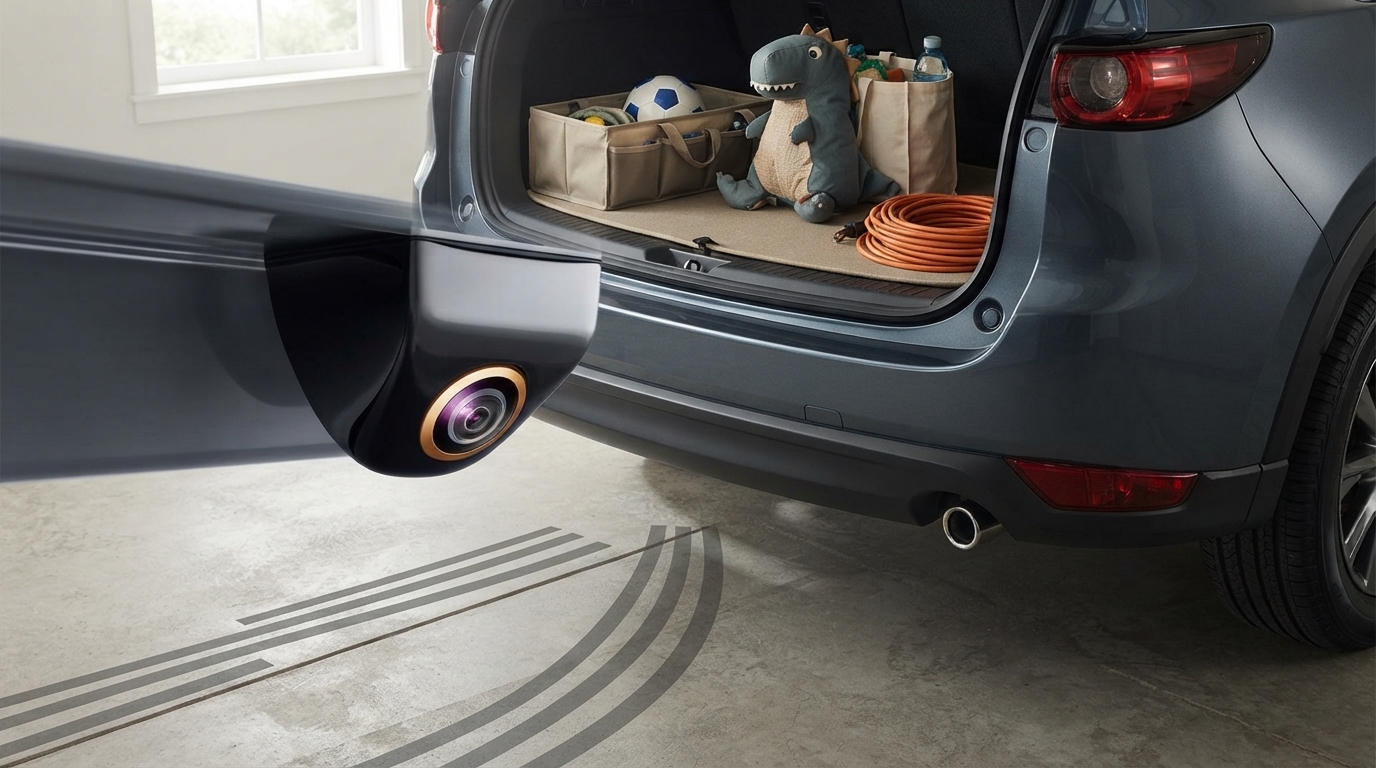
Static parking lines are fixed guidelines overlaid on your backup camera image. They don’t move when you turn the steering wheel, so they mainly help you gauge distance behind the vehicle and roughly center the car between obstacles or parking space lines. Think of them as a consistent reference frame: helpful for spacing, but not a true preview of your turning path.
Dynamic parking lines (often called “trajectory” or “active” guidelines) adjust as you steer. When you rotate the wheel, the lines curve to show where the vehicle is projected to go if you keep backing up at that steering angle. This makes them especially useful for backing into angled spots, aligning a trailer hitch, or threading into tighter garages where predicting the arc matters.
The key difference is the source of information. Static lines come from a simple overlay, while dynamic lines require steering-angle data (usually from the vehicle’s CAN bus/steering sensor) so the camera system can calculate a curved path. If your vehicle or aftermarket camera setup doesn’t have access to steering-angle input, it typically can’t offer true dynamic lines—only fixed ones.
In day-to-day use, static lines are great for learning your bumper’s distance and avoiding contact, while dynamic lines add confidence when precision matters. Many systems also combine both: fixed distance markers plus a moving trajectory overlay, giving you both “how far” and “where you’re headed.” For a deeper look at parking lines, calibration tips, and camera feature trade-offs (including night vision performance), see the full guide here: https://elevatdlife.com/guide-170-4k-rear-camera-night-vision-parking-lines-bmw-audi-nissan/.
Some factory systems allow limited adjustment through the infotainment settings, while many aftermarket cameras rely on the head unit’s setup menu or small adjustment controls on the camera module. If the lines look “off,” calibration usually involves confirming camera mounting position and running the guideline setup so the overlay matches the vehicle’s real width and bumper location.


Leave a comment
You must be logged in to post a comment.